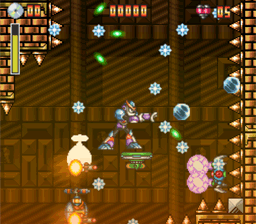
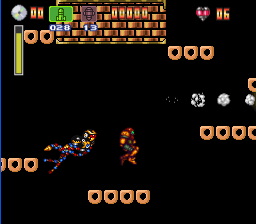
Well, this was fast. In this update, I bring you three new custom levels by Hunter. As usual, you can check them at the Custom Level section of the game’s title screen.
The levels are:
Hunter’s Temple
Hunter’s Temple 2
Hunter’s Temple 3 – Nightmarish Tamp
Well, probably I should save you some frustration and tell you that I was able to beat them only with Bass and Samus. But other than that the levels are pretty long and challenging. Temple 3 at least has to be the largest map I’ve seen so far, and the engine didn’t die on it! The difficulty builds up in every step so take your time and make use of Bass as Samus aiming abilities to clear your path safely.
I’m thinking of ways to overcome the limitations for other characters to get through the long jumps required for this kind of level, but only time will tell what the future holds in this regard.
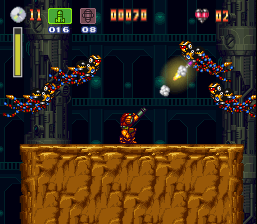
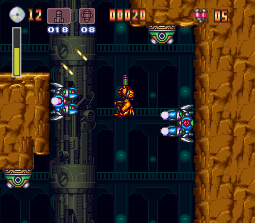
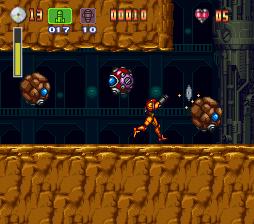
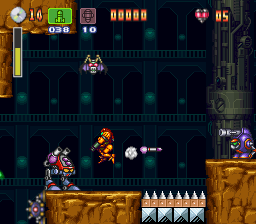
By the time you read this Metroid Other M should be already on stores. To celebrate this, in this update of Bass Abyss I decided to give Samus a new set of moves. Specifically the ability to aim! Bass can shot in seven directions. Well, Samus now has the full eight directions set, and this applies to all her current weapons.
Aiming doesn’t work exactly like with Bass. Samus doesn’t get stuck while aiming, she’s pretty agile, she can run, duck, jump while aiming. I didn’t want to dumb her down so the only way to solve this was to add yet another keyboard key. I’m always weary about adding keys because the game it gets more complex for the player to play, but oh well, there’ll be always characters with simpler moves that you can use. We have to accept that Samus leans to the direction of more complete but more complex characters to play with. Although I personally find this entertaining, I don’t pretend to make levels were you absolutely need to aim to get through.
So, how do I aim with Samus?
On land or air press SPACE BAR to aim up.
On air you can hold SPACE BAR or DOWN to aim in any eight directions.
While running, if you hold SPACE BAR or DOWN, you’ll aim up forward or down forward respectively.
If you are standing or ducking, you have to hold Z to aim. By default she’ll aim up forward. Then you can switch by pressing DOWN or SPACE BAR. This essentially is the same control scheme she had in her Game Boy Advance games (Zero Mission and Fusion).
I’ll be honest, this Z key is the move that I find the most difficult to handle, but as usual you can map the keys to the layout of your preference. I really hope this to be the very last key I add.
The level editor has also been upgraded. On request I’ve added a good batch of enemies since the last time. I’m not going to spoil the full list but thanks to Scorpion there 4 new maps where you can check them all. The levels are very well designed and entertaining. To access them just go to the Custom Level section of the game’s main menu. They are the first four ones at the top of the list.
Factor 2 – Scavenger Hunt
Factor 3 – Floor S
Factor 4 – Sector 0
Factor 6 – Ground Zero
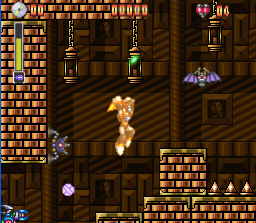
Here are some pics for Samus in one of the new custom levels!
Although I’m still more focused in code clean up and reorganization, the next update shouldn’t take this long. That FIFA World Cup sure was distracting.
I was going to post my impressions on the recently unveiled Mega Man Universe trailers, but you know what? Screw that.
Duke Nukem Forever was announced today and I can’t describe how pumped up I am. I haven’t been looking forward a game like this since Doom 3 was announced, and yeah, we all know how that went, but I don’t care. Even if the game sucks, I’m going to enjoy every single moment of this. I finally have an excuse to upgrade my system.
I’m going to get nothing but the best stuff just for this game and blow up stuff louder than I did more than 10 years ago with the original Duke Nukem 3D, the modding, the level builder, and the other FPS of that time. Ah, such good times.